Run Your Courts. Manage Your Academy. All in One Place.
CourtBook is court booking software built for modern courts and sports academies. Let players book online while you manage bookings, members, students, coaches, batches, walk-ins, attendance, payments and revenue from one platform.
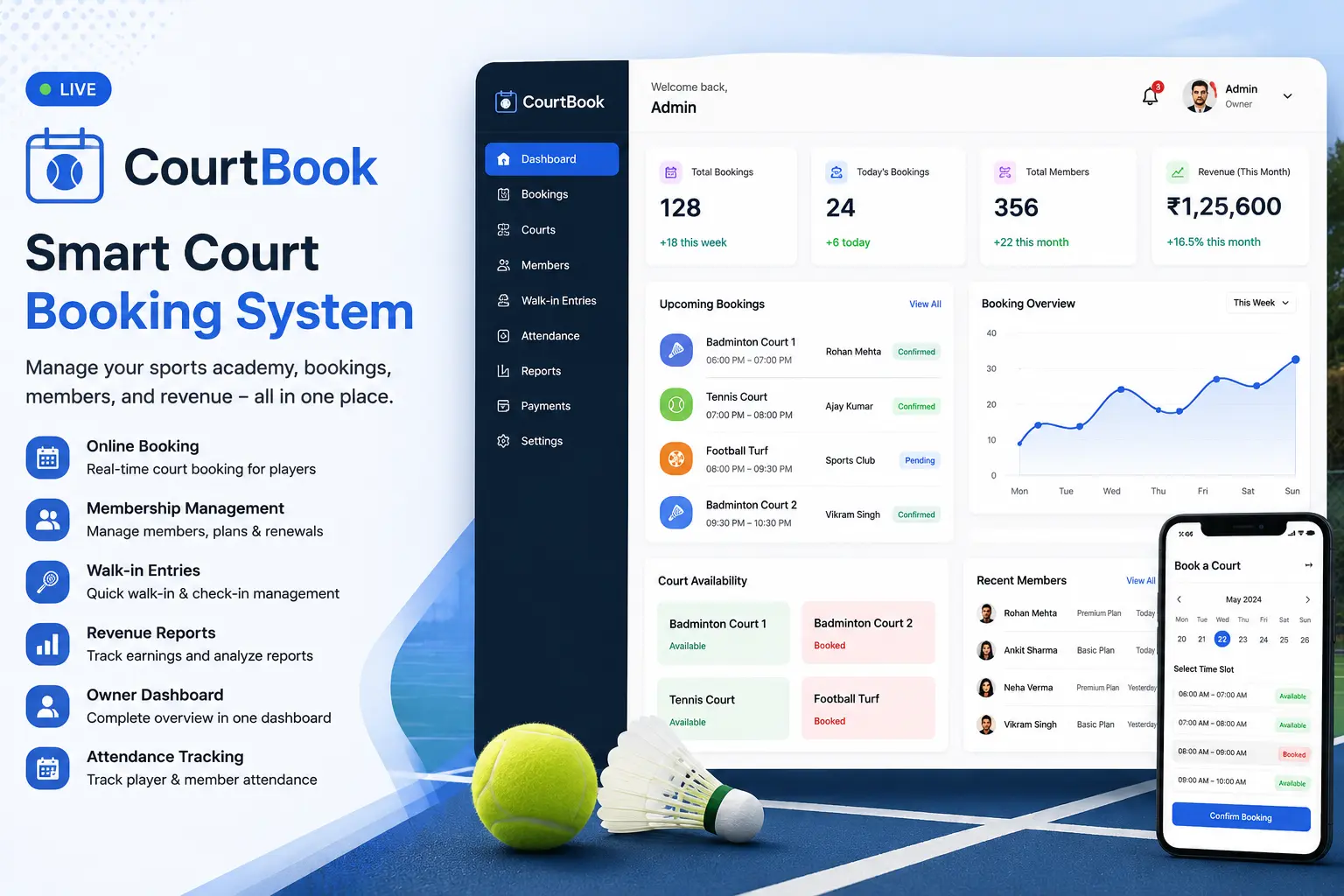
Built for Everyone on the Court
For Players
- Sign up directly on CourtBook to create your player account.
- Browse available courts and see open time slots.
- Book a court online without needing to call or visit in person.
- Manage your booking experience from your account.
For Court & Academy Owners
- Get onboarded through Duotek — no self-setup required.
- Start with a 7-day free trial to explore the full platform.
- Review, approve or reject incoming booking requests.
- Run all academy operations and business activity from one dashboard.
How Online Court Booking Works
Player Signs Up
The player creates an account on CourtBook to access online booking.
Player Books a Court
The player browses available slots and submits a booking request for their preferred court and time.
Owner Reviews the Booking
The academy or court owner receives the booking request and reviews it from the dashboard.
Booking and Attendance Are Managed
Once approved, the booking is recorded. Attendance is tracked and the entry is part of the operational record.
Complete Academy & Court Management
CourtBook gives owners full control over courts, bookings and academy operations from a single owner dashboard.
Court Management
Define courts, set operating hours, and control availability from the owner dashboard.
Booking Approval & Rejection
Review incoming booking requests and approve or reject them based on availability.
Owner Dashboard
A central view of bookings, members, batches, walk-ins and revenue activity.
Notifications
Keep players and members informed with booking-related notifications.
Academy Operations
Manage the full day-to-day operation of your academy from one platform.
Revenue Tracking
Track revenue across bookings, memberships and walk-ins.
Reports
Generate reports on bookings, attendance, payment methods and academy performance.
Membership Management Built In
CourtBook includes membership management as a core part of the platform. Owners can create memberships, assign them to members and track all membership activity without needing a separate tool.
- Add and manage members within CourtBook.
- Create membership plans and assign them to members.
- Track membership status and activity from the owner dashboard.
- Membership management is part of the same operational system as bookings and attendance.
Manage Students, Coaches and Batches
CourtBook goes beyond simple bookings — it handles the full academy structure including students, coaching staff and training batches.
Students
Add and manage students enrolled in your academy.
Student Memberships
Assign and track memberships specifically for students.
Coaches
Add coaching staff and manage their association with batches and students.
Batches
Organise students into batches and associate them with coaches and courts.
Walk-in Players, Handled Smoothly
Not everyone books in advance. CourtBook makes it easy to record walk-in players on the spot, keeping all your court activity in one place.
- Staff can record walk-in entries directly in CourtBook — no extra tools needed.
- Walk-in players do not require an account or advance booking.
- All walk-in activity is managed within the same operational system as online bookings.
- Walk-ins are included in your overall activity and revenue records.
Attendance Tracking and Payment Methods
CourtBook tracks attendance and records which payment method was used for each transaction. It does not process payments or act as a payment gateway.
Attendance Tracking
- Mark attendance for members and students.
- Track attendance records across bookings and batches.
- Attendance history is stored in CourtBook for reference.
- Attendance is part of the same operational system as all other academy activity.
Payment Method Tracking
- CourtBook tracks which payment method was used — Cash or UPI.
- Payment method records help owners keep track of how transactions were made.
- CourtBook does not process payments or act as a payment gateway.
- Cash and UPI are tracked for visibility — not for processing.
Revenue Insights and Reports
CourtBook gives academy owners visibility into revenue and performance through reports. See where your income comes from and track activity over time.
- Track revenue generated from bookings, memberships and walk-ins.
- See Cash and UPI payment method breakdowns for each period.
- Generate reports to review academy performance.
- Use reports for operational decisions — not accounting or tax filing.
See CourtBook in Action
Watch a walkthrough of CourtBook to see how bookings, members, students, batches, walk-ins, attendance and reports work in practice.
Frequently Asked Questions
Ready to Manage Your Courts Smarter?
Players can book a court directly on CourtBook. Court and academy owners contact Duotek to get onboarded and start a 7-day free trial.